
Login and help
Westio login and help: Apple sign-in, 24/7 chat and complaints
How to get into a Westio account, where support answers, how to complain and how to set limits or self-exclude.
- 24/7
- Live chat
- 2
- Social sign-in options
- 4
- Help topics
- 5 days
- Email reply window
Sign in
Signing in with email, Apple or Google
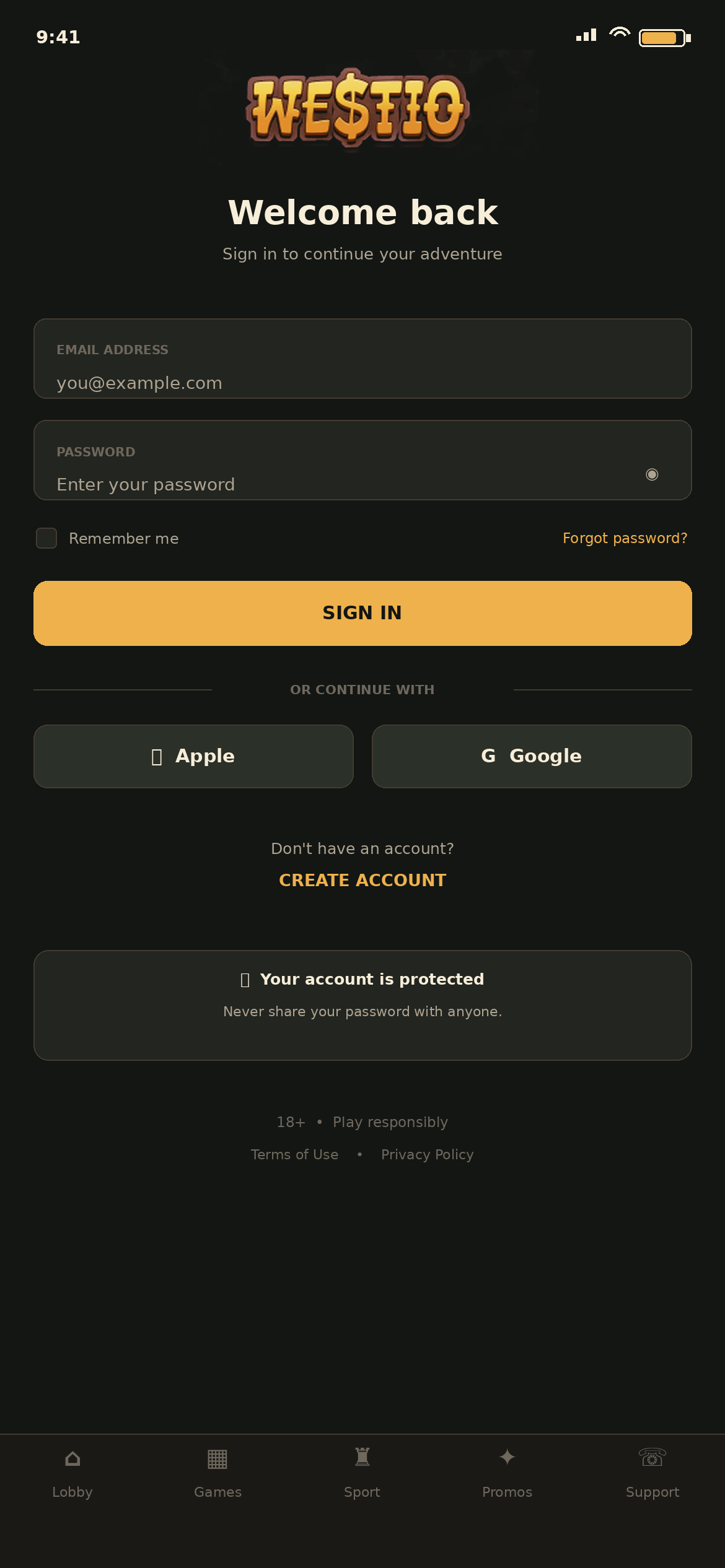
The sign-in screen greets returning players with Welcome back. Two fields follow, EMAIL ADDRESS and PASSWORD, and tapping the eye icon in the second one reveals the characters you have typed. Under the fields a Remember me switch keeps you signed in on that device, and Forgot password? starts a reset by email. The gold SIGN IN button submits the form.
Below a divider marked OR CONTINUE WITH there are Apple and Google buttons. Either one signs you in with that identity in place of a password. First-time visitors find the CREATE ACCOUNT link under a line that reads Don't have an account?
Keeping the account safe
A shield line on the screen reads Your account is protected. Never share your password with anyone. The terms back this up: using another person's login is forbidden, and duplicate accounts are closed with their bets void and their promotions cancelled.
- Switch off Remember me on a shared phone or tablet.
- Pick a password that is unique to Westio.
- Terms of Use and Privacy Policy links sit at the foot of the sign-in screen.
Help centre
The Support tab: help topics, 24/7 chat and email
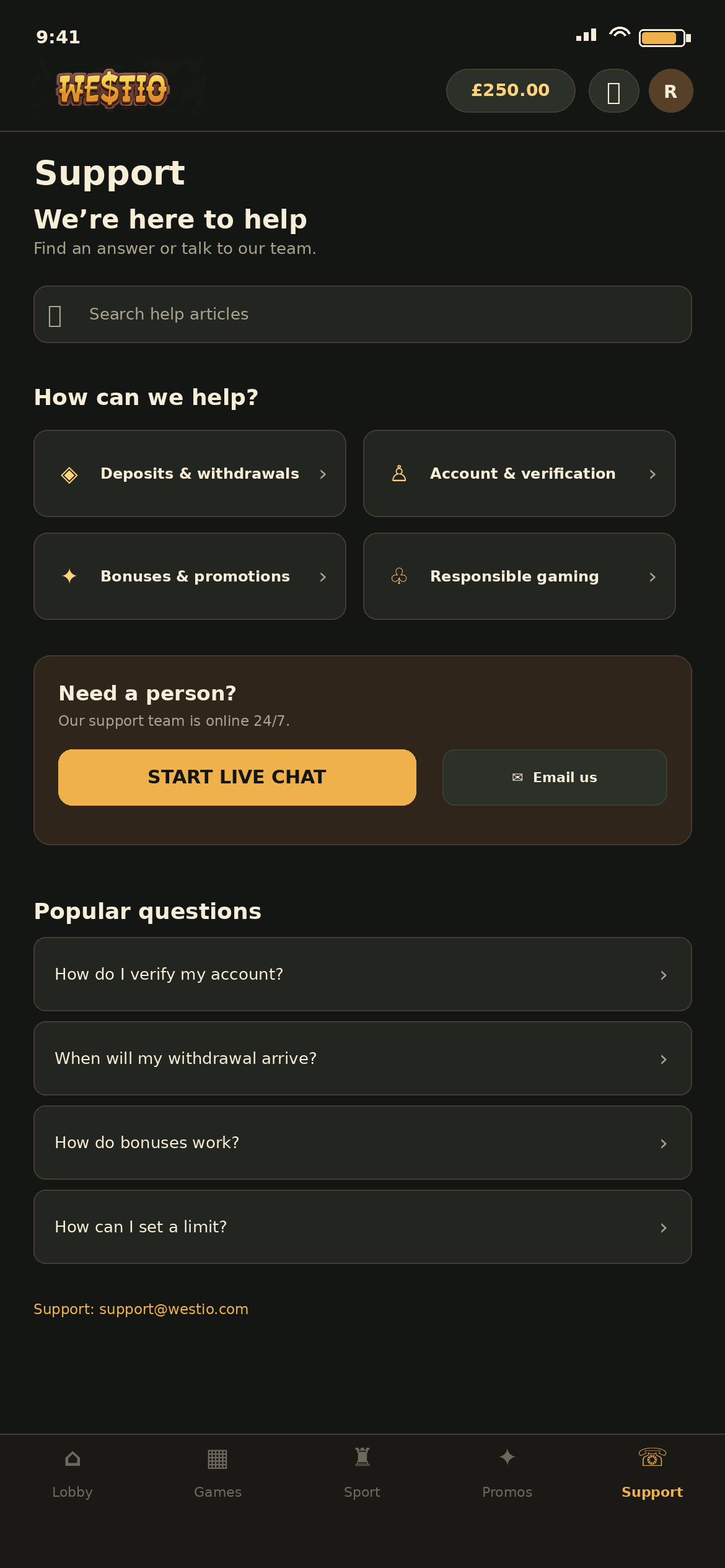
Support is the fifth button on the bottom bar. Its screen opens with the heading We're here to help and a search box for help articles. Four tiles under How can we help? sort the articles by subject: Deposits & withdrawals, Account & verification, Bonuses & promotions and Responsible gaming.
A Need a person? panel says the support team is online 24/7, with a gold START LIVE CHAT button and an Email us option. Written queries go to [email protected], and the terms commit to an email reply within 5 business days.
| Question | Where the answer is on this site |
|---|---|
| How do I verify my account? | Verification |
| When will my withdrawal arrive? | Withdrawals |
| How do bonuses work? | A golden start |
| How can I set a limit? | Limits and exclusion |
Complaints
Making a formal complaint
Raise the issue in live chat first, since most payment and bonus questions are settled there. If it is not resolved, send a written complaint by email from the address registered on the account, with COMPLAINT in the subject line.
- Give your username and full name.
- Summarise what happened in a few lines.
- Add the dates and times of the bets, deposits or messages involved.
If you are still unhappy with the final answer, the terms point to AskGamblers as the outside service for disputes.
Limits and exclusion
Setting a limit, taking a break or closing the account
Responsible gaming has its own tile on the Support screen, and the help centre answers How can I set a limit? among its top questions. If you cannot find a limit setting in your account, ask for one in live chat.
To self-exclude, email [email protected] and ask for the account to be closed. Tell Westio about any other account you hold with it, and do not open new ones while excluded. Because Westio is outside GAMSTOP, this request is the way to block yourself from it. Anyone worried about their gambling can call GamCare free, day or night, on 0808 8020 133.
New to Westio?
Create an account with an email address, Apple or Google.